
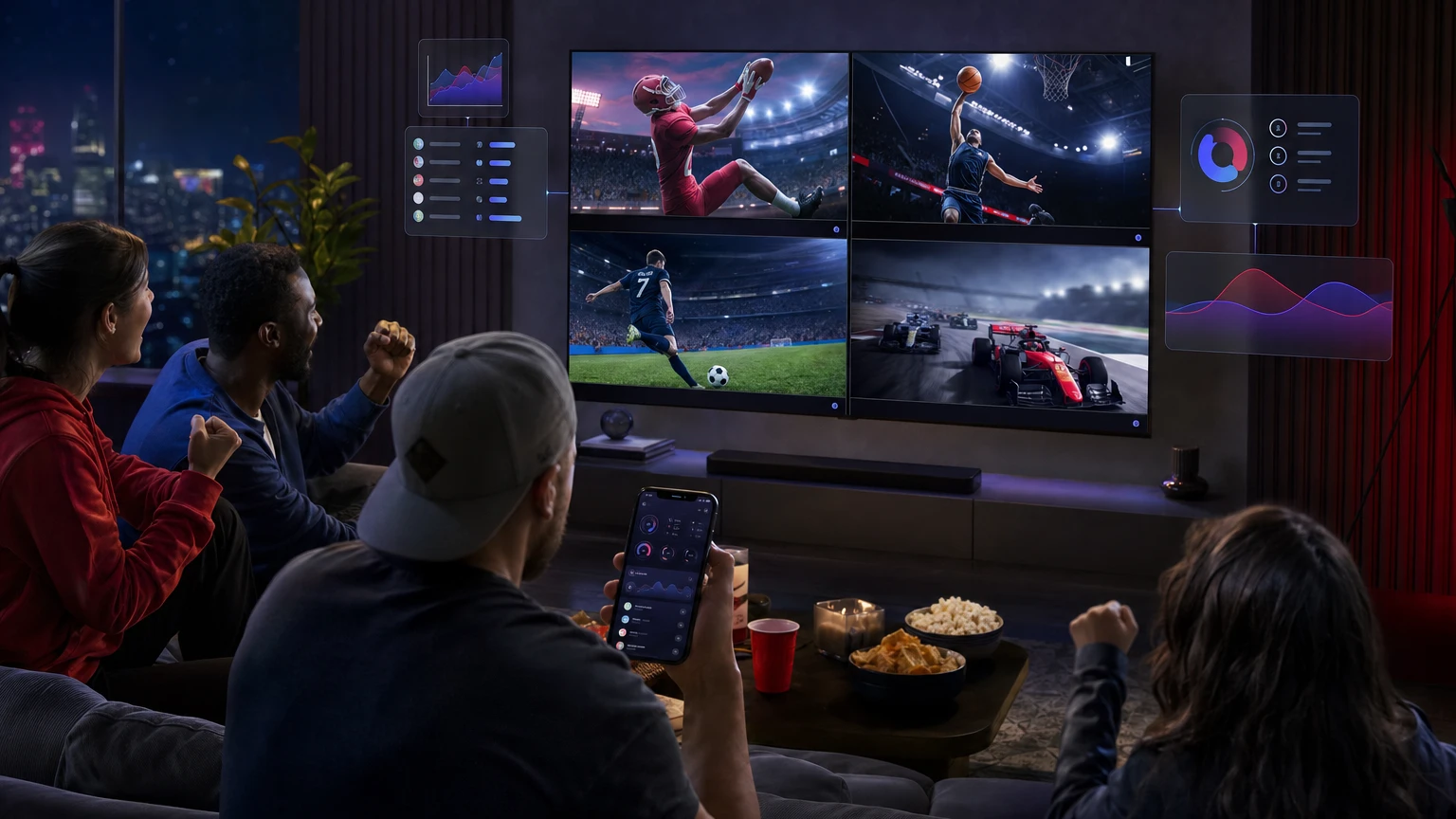
ESPN Unlimited became available directly inside YouTube TV on September 1, 2026, giving eligible subscribers access to ESPN’s expanded collection of digital live events and on-demand programming without leaving the YouTube TV app. It is included at no additional charge with the main YouTube TV plan and plans that include the Sports package.
The launch is more than another channel addition. YouTube TV has created dedicated live-guide rows for ESPN Unlimited events, reorganized the ESPN network page around leagues, introduced clearer labels for alternate feeds, and extended familiar features such as DVR and multiview to eligible ESPN Unlimited programming. ESPN Fantasy Football can now feed live fantasy information into YouTube TV’s Fantasy View as well.
One date distinction is important: ESPN Unlimited itself is not new. ESPN launched the direct-to-consumer service and its enhanced app on August 21, 2025. September 1, 2026 marks the launch of its full, native integration with YouTube TV.
ESPN Unlimited on YouTube TV: the quick answer
| Question | Answer |
|---|---|
| When did the integration launch? | September 1, 2026. |
| Which plans include it? | The main YouTube TV plan and plans that include Sports. The practical eligibility test is whether ESPN is included in your channel lineup. |
| Does it cost extra? | No additional ESPN Unlimited charge applies to an eligible YouTube TV plan. |
| Must I connect an ESPN account? | Not to watch inside YouTube TV. Linking is required for ESPN Fantasy data and access through the separate ESPN app. |
| Can the content be recorded? | Yes. ESPN Unlimited programming is eligible for YouTube TV’s DVR. |
| Does it work in multiview? | Eligible ESPN Unlimited events can be added to multiview, which supports up to four programs on one screen. |
| Are alternate broadcasts available? | When ESPN supplies multiple streams, YouTube TV’s station picker can label language, home, away and alternate-camera options. |
These details are confirmed in YouTube’s September 1 announcement and its dedicated ESPN Unlimited support page.
Which YouTube TV plans include ESPN Unlimited?
YouTube’s announcement says ESPN Unlimited is included for subscribers to the main YouTube TV plan or any plan that includes Sports. Its support documentation expresses the rule more directly: ESPN must be included in your YouTube TV lineup. You do not need to purchase ESPN Unlimited separately when that condition is met.
YouTube TV introduced more than 10 genre-based packages in 2026. Consequently, “a Sports plan” can mean the standalone Sports package or a combination package that contains Sports alongside News, Entertainment or Family programming.
| YouTube TV plan type | ESPN Unlimited access | What to know |
|---|---|---|
| Main YouTube TV plan | Included | This is the comprehensive plan formerly called the Base Plan. |
| Sports Plan | Included | Includes ESPN and local channels, plus YouTube TV sports features. |
| Sports + News, Entertainment or Family combinations | Included | These qualify because Sports is part of the package. |
| News, Entertainment or Family plans without Sports | Not included by default | Check the displayed channel lineup. Access requires ESPN. |
| Standalone NFL Sunday Ticket on YouTube | Not included | NFL Sunday Ticket is a separate subscription and is not a YouTube TV plan containing ESPN. |
Plan availability can depend on how a customer is billed. YouTube warns that genre plans may not appear immediately for subscribers billed through a mobile carrier, internet provider or another partner. Direct YouTube TV billing offers the broadest plan selection.
ESPN Unlimited does not replace NFL Sunday Ticket
The names can create confusion during football season. ESPN Unlimited expands access to ESPN networks, digital events and ESPN programming, but it does not provide every out-of-market Sunday afternoon NFL game. YouTube identifies NFL Sunday Ticket as the separate product for regular-season Sunday afternoon games unavailable on a viewer’s local CBS or Fox station.
A football-focused household may therefore use a Sports-inclusive YouTube TV plan for local and national broadcasts, including ESPN, while adding NFL Sunday Ticket for eligible out-of-market Sunday games.
What ESPN Unlimited adds beyond the regular ESPN channels
Traditional pay-TV guides are organized around linear networks: ESPN, ESPN2, ESPNU and similar channels. ESPN Unlimited also contains digital-only events and individual streams that may not fit neatly into a conventional channel slot. The YouTube TV integration brings those events into the same interface as linear television rather than requiring viewers to switch apps.
YouTube highlighted US Open tennis, NCAA college football, PGA Tour golf, WWE premium live events, LALIGA and out-of-market NHL games as examples available through the integration. The on-demand offering includes ESPN Originals and Films, The Rich Eisen Show and the ESPN 30 for 30 documentary library. Event availability remains subject to rights, location and other viewing restrictions.
That last qualification matters for leagues with regional or market-based rules. “Unlimited” is the ESPN plan name; it does not mean every event is exempt from blackouts or territorial restrictions. YouTube TV says sports restrictions can vary by home area, current location, platform, device and the rules imposed by its content partners.
How to find ESPN Unlimited games in YouTube TV
The central usability problem with a large sports catalog is discovery. A viewer should not need to know whether a match is assigned to ESPN2, ESPN3, ESPN+ or a digital event feed before finding it. YouTube’s new interface approaches the problem in three ways.
1. Look for three ESPN Unlimited rows in the live guide
The live-guide grid now includes three dedicated rows featuring relevant, high-profile ESPN Unlimited events that are currently airing. YouTube says these selections are tailored to the viewer. A persistent ESPN network row follows them and provides access to additional programming.
This differs from simply placing another network at the bottom of a long channel guide. Live events are being surfaced as individual watch choices, reducing the need to determine which underlying feed carries each event.
2. Open the consolidated ESPN network page
YouTube TV has changed the ESPN page from a primarily channel-centric destination to a consolidated page with league-based shelves. Linear networks and standalone digital events can therefore appear together under the relevant sport or competition.
If a game does not appear prominently on Home or in one of the three live rows, the ESPN page is the logical next place to look. Search remains useful when you know the team, league or event name.
3. Use the updated station picker for alternate feeds
Some events have more than one available broadcast. When multiple streams exist, YouTube TV’s enhanced station picker can identify:
- Different broadcast languages
- Home and away team feeds
- Alternate camera presentations
- Other event-specific streams supplied by ESPN
The important limitation is when multiple streams exist. The update improves the presentation and labeling of available feeds; it does not promise alternate announcers, languages or camera angles for every game.
For viewers, the practical improvement is confidence. Instead of opening similarly named tiles and guessing which one contains the desired commentary or camera angle, the station picker should identify the distinction before viewing.
How ESPN Unlimited works with YouTube TV multiview
Eligible ESPN Unlimited content can be added to YouTube TV multiview, allowing as many as four live programs to appear on one television screen. Viewers can change the active audio by selecting the panel they want to hear.
- Begin playing an eligible live event on a smart TV or streaming device.
- Open the player controls and select the multiview option.
- Choose from the events offered in the multiview builder.
- Select a panel whenever you want to move the active audio to that event.
Not every combination is guaranteed. YouTube describes the builder as offering available or eligible content, and an add-on event can only be used when the account has the necessary subscription. Multiview is unavailable in a web browser and through AirPlay. Some older devices may also offer fewer customization options or lower picture quality.
There is another trade-off for fantasy players: YouTube says its other sports views are not displayed while the television is in multiview. Stats, key plays and fantasy information can instead be followed on another device.
How to connect ESPN Fantasy Football to YouTube TV
YouTube TV Fantasy View now supports both ESPN Fantasy Football and Yahoo Fantasy. It can display fantasy-team and player performance in real time while a viewer watches a live NFL game. Connecting an account is optional for ordinary ESPN Unlimited viewing but required to import fantasy information.
Connect an ESPN account from the YouTube TV mobile app
- Open the YouTube TV mobile app.
- Select your profile picture.
- Open Settings, followed by Sports.
- Turn on Connect ESPN.
- Complete ESPN’s authorization prompts and approve fantasy-data sharing if requested.
Account connection and disconnection must initially be handled from a mobile device. YouTube also recommends using the latest version of the YouTube TV app.
Open Fantasy View while watching on a television
- Open a live NFL game in the YouTube TV app.
- Use the remote to open the player controls.
- Select Scores & stats.
- Move to the Fantasy section.
- Select Change league if more than one linked fantasy team is available.
On mobile, viewers can reach Fantasy by moving through the information panels beneath a live NFL broadcast. The interface can show fantasy matchups, league scores and player information.
Do you need to link ESPN and YouTube TV accounts?
No account link is needed to watch ESPN Unlimited inside YouTube TV, provided ESPN is part of the subscriber’s plan. Linking becomes necessary in two situations: importing ESPN Fantasy information and watching the included content through the standalone ESPN app.
| What you want to do | Account link required? |
|---|---|
| Watch ESPN Unlimited in YouTube TV | No |
| Record ESPN Unlimited content in YouTube TV | No separate ESPN link |
| Add an eligible ESPN event to multiview | No separate ESPN link |
| Display an ESPN fantasy team in Fantasy View | Yes |
| Watch the entitlement through the ESPN app | Yes |
For family accounts, YouTube says the family manager’s credentials are required to authorize viewing on a network’s separate app or website. Individual family members can still connect fantasy accounts for Fantasy View, but ESPN-app activation should be performed through the family manager account.
If you already pay ESPN directly, do not assume the subscriptions will merge or that separate billing will stop automatically. Verify that the YouTube TV entitlement works in both apps, inspect the billing source of the direct subscription and review any bundle consequences before canceling anything.
Troubleshooting ESPN Unlimited on YouTube TV
ESPN Unlimited content does not appear
- Open your YouTube TV membership settings and confirm that your plan contains ESPN.
- If you have a genre package, verify that it includes Sports rather than only News, Entertainment or Family.
- Search for a specific ESPN event or open the consolidated ESPN network page.
- Confirm that the device is using the intended YouTube TV profile and household membership.
An expected alternate feed is missing
Alternate-feed labels only appear when ESPN provides multiple streams for that event. A standard single-feed broadcast will not produce language, home-away or camera choices merely because the new station picker is available.
Fantasy View does not show an ESPN league
- Use the mobile YouTube TV app to reconnect the ESPN account under Settings and Sports.
- Confirm that you authorized the correct ESPN account and allowed fantasy-data sharing.
- Update the YouTube TV app.
- Test the feature during a live NFL game; Fantasy View is designed for live NFL viewing.
- If several teams are linked, use the league-switching control inside Fantasy View.
YouTube’s current support documentation identifies ESPN and Yahoo as the supported fantasy platforms.
The ESPN app rejects a family member’s login
Use the YouTube TV family manager account for ESPN-app authorization. YouTube states that only the family manager’s sign-in information works for direct authentication on participating network apps and sites.
A game is unavailable in your location
Update the current playback area in YouTube TV’s location settings and disable any VPN or proxy. If the location is correct, the event may be restricted by league, network or regional rights rather than by an account error.
Why this launch matters
Confirmed: YouTube TV has integrated ESPN Unlimited events, on-demand programming, alternate-feed labels, DVR, multiview and ESPN Fantasy support into its service. These are announced product capabilities, not projections.
Our analysis: The more consequential change is the move away from treating every sports broadcast as a fixed television channel. Dedicated event rows, league shelves and labeled feed choices treat a game as a central object that can have multiple broadcasts, languages, cameras, statistics and fantasy data attached to it.
That design is better suited to modern sports rights, where programming is divided among linear channels, digital feeds, local stations and direct-to-consumer services. It also reduces one of streaming television’s most persistent frustrations: knowing a game is available somewhere but not knowing which app, channel or feed to open.
The development also supports a broader shift toward the television as YouTube’s most feature-rich viewing surface, a trend explored in why TV screens, podcasts and AI are reshaping YouTube. Multiview, selectable audio, live statistics and fantasy integration make the large screen an interactive sports dashboard rather than a passive video endpoint.
For eligible subscribers, however, the immediate benefit is straightforward: ESPN Unlimited content can now be found and watched where they already use YouTube TV, without a mandatory account-linking step or a separate ESPN Unlimited charge.
Make YouTube smarter with NextWatch AI
Use AI search, smarter discovery, playback tools and speed testing directly in your browser.
Add NextWatch AI to Chrome ↗