
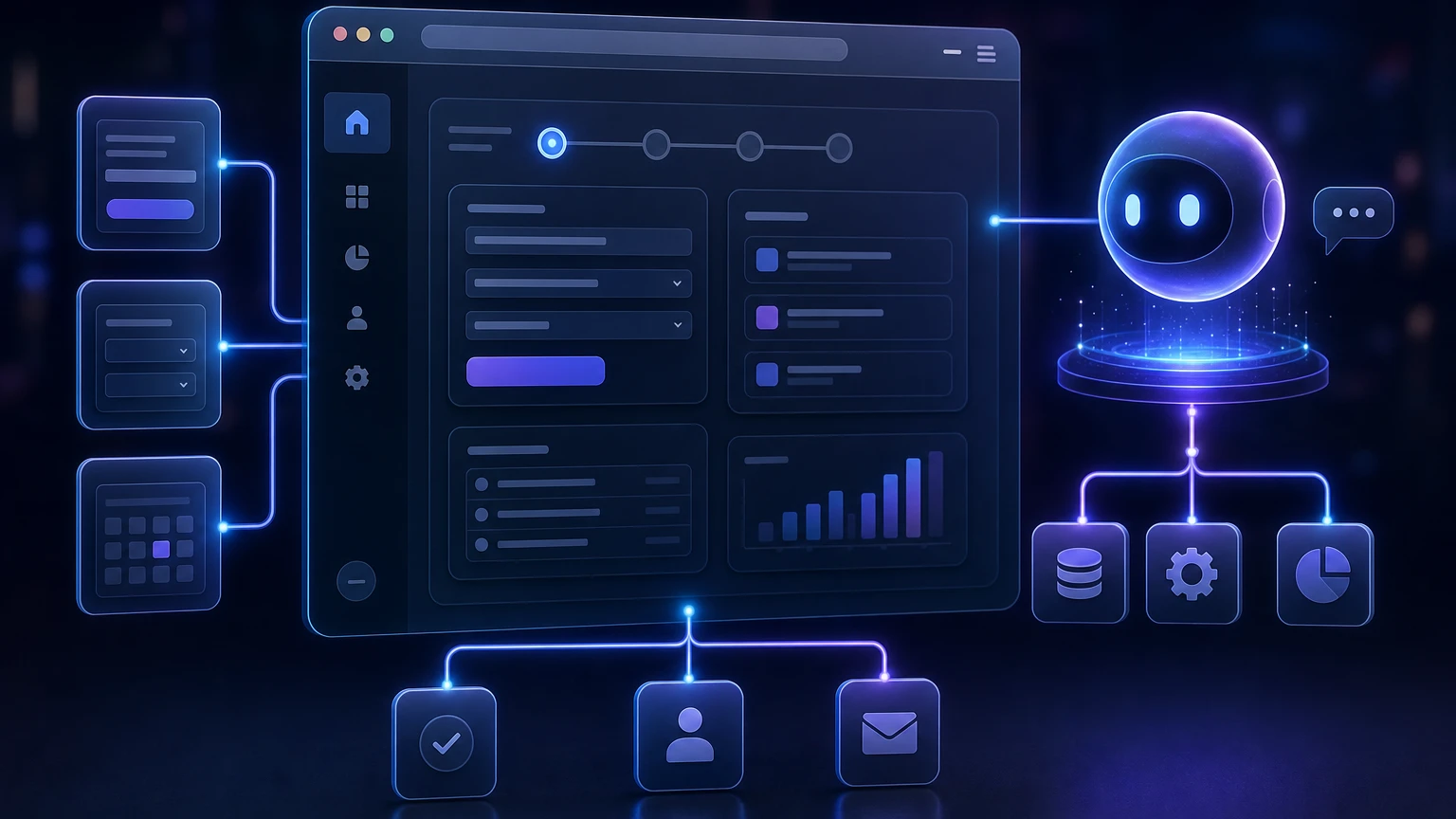
Browser-based AI agents can already read pages, inspect interface elements, fill fields, and click buttons. The difficult part is reliability. When an agent must infer a website’s capabilities from pixels, labels, accessibility information, or the Document Object Model, every step introduces ambiguity. A redesigned button, hidden state, custom control, or misunderstood confirmation screen can derail the task.
WebMCP proposes a different model: websites explicitly describe the actions an agent can use. Instead of asking an agent to reverse-engineer a human interface, a site can expose structured tools with names, descriptions, typed parameters, execution logic, and safety information. Google presented WebMCP at Google I/O 2026 as a proposed open web standard for exposing JavaScript functions and annotated HTML forms to browser agents.
Confirmed status as of September 5, 2026: WebMCP is a W3C Web Machine Learning Community Group draft, not a W3C Standard and not currently on the W3C Standards Track. Chrome is testing it through an origin trial that began with Chrome 149 and is approved through Chrome 156. Chrome 152 became the stable release on August 25, 2026.
Practical interpretation: product teams should treat WebMCP as an important experiment rather than a settled cross-browser contract. It is mature enough for prototyping, architecture work, and controlled trials, but not something that should replace ordinary interfaces, APIs, or accessibility practices.
What is WebMCP?
WebMCP, or Web Model Context Protocol, is a proposed browser API that lets a web application expose its functionality as machine-readable tools. A tool can describe an operation such as searching inventory, retrieving an order status, applying a filter, starting a support request, updating application state, or preparing a booking for user approval.
In the current draft, JavaScript tools are registered through document.modelContext. Each tool can include a name, natural-language description, input schema, execution callback, and optional annotations describing whether it is read-only, consequential, or likely to return untrusted content. The specification also defines a declarative path in which standard HTML forms become tools through additional attributes.
The idea is not to make the human interface obsolete. WebMCP is designed around a shared browser session in which the website, user, and agent can observe and influence the same application state. A declarative tool can bring a form into focus and populate its visible fields, while an imperative tool can call existing application logic and update the interface when it finishes.
This makes WebMCP particularly relevant to the broader shift described in why the browser is becoming a valuable place to build AI tools. The browser contains the live session, authenticated state, interface context, and user attention that many real-world tasks require.
The problem WebMCP is trying to solve
Most browser agents currently depend on some combination of page screenshots, DOM inspection, accessibility trees, selector-based automation, and simulated mouse or keyboard input. These methods are useful because they can operate on websites that were never designed for agents. They are also inherently interpretive.
Consider an agent asked to find a refundable hotel room, apply a loyalty discount, and prepare the reservation:
- It must locate the destination and date controls.
- It must understand a custom calendar widget.
- It must distinguish filters from sorting controls.
- It must determine whether a displayed price includes taxes.
- It must avoid confusing “Reserve” with a final purchase.
- It must recognize when user confirmation is required.
A human can resolve much of this through visual convention and judgment. An agent may need several observations and interactions, with each action changing the page it must interpret. Chrome’s documentation describes WebMCP as a way to replace some of that actuation and guesswork with explicit rules for interaction.
With WebMCP, the site might expose separate tools for searching availability, retrieving rate details, applying a loyalty account, and preparing a reservation. The agent receives defined parameters and structured outcomes instead of discovering the workflow one click at a time.
How WebMCP works
A typical WebMCP interaction can be understood as a six-stage loop:
- Registration: The page registers tools through JavaScript or declares them through annotated forms.
- Discovery: A compatible browser agent obtains the tools currently available in the page’s context.
- Selection: The agent compares the user’s request with tool names, descriptions, schemas, and annotations.
- Argument generation: The agent converts relevant user intent into the parameters expected by the chosen tool.
- Execution: The browser invokes the site-controlled function or activates and fills the declared form.
- Observation: The tool returns a result, reports an error, triggers navigation, or updates visible application state.
Tools are bound to the page and browser context. Unlike a persistent remote service, they are generally available only while the relevant website is open. Clients also need to visit a site before they can discover its tools. Chrome consequently describes WebMCP as primarily designed for local, human-in-the-loop browser workflows rather than as a general replacement for headless APIs.
Imperative and declarative WebMCP APIs
The proposal offers two complementary integration approaches.
| Approach | How it works | Best suited to | Main trade-off |
|---|---|---|---|
| Imperative API | JavaScript registers a named tool, input schema, execution callback, and optional safety annotations. | Dynamic applications, stateful workflows, custom components, navigation, queries, and operations that already have reusable application logic. | More implementation and lifecycle management are required. |
| Declarative API | Attributes such as toolname and tooldescription turn a standard HTML form into a tool. Form controls become parameters. | Search, filtering, support, data entry, and other self-contained forms that already use semantic HTML. | Complex dependencies, custom controls, and multi-step workflows may exceed what a synthesized form schema can represent. |
The imperative API
An imperative tool has an API-like contract. Its essential pieces are:
- Name: A short, distinct identifier describing the action.
- Description: What the operation does and when it is appropriate.
- Input schema: Typed parameters, required fields, accepted values, and useful descriptions.
- Execute function: Site-controlled JavaScript that performs the operation.
- Annotations: Optional hints about side effects, consequences, and output trust.
The execute function should normally reuse the same domain logic as the human interface. A product should not maintain one validation path for people and a weaker path for agents. WebMCP may create a new entry point, but authentication, authorization, inventory checks, pricing rules, rate limits, and server-side validation still need to apply.
Imperative tools can be registered only when relevant and removed using an AbortSignal. Execution callbacks also receive a cancellation signal, allowing a page to stop network requests or other long-running work if the user or agent cancels the operation.
The declarative API
The declarative API adds machine-oriented meaning to a normal HTML form. The toolname attribute identifies the tool, tooldescription explains its purpose, and toolparamdescription can clarify individual fields. The browser converts supported form controls and constraints into a structured schema.
Submission is an important design choice. Without toolautosubmit, the agent can fill the form while leaving the final submission to the user. Adding toolautosubmit permits the form to be submitted when invoked. Chrome’s declarative API also proposes events and pseudo-classes that let a site identify agent-triggered submissions and visibly indicate an active agent-controlled form.
As a practical rule, automatic submission is most appropriate for read-only searches and low-risk, reversible actions. Purchases, money transfers, public posts, destructive account changes, and final applications should retain an explicit confirmation boundary.
WebMCP versus MCP
WebMCP is inspired by the tool-oriented philosophy of Model Context Protocol, but it is not a browser implementation or replacement for MCP. Chrome’s guidance positions MCP as a persistent way to connect agents to backend data and operations, while WebMCP exposes contextual capabilities belonging to the live website in a user’s tab.
| Characteristic | MCP | WebMCP |
|---|---|---|
| Primary environment | Backend services, local programs, cloud systems, and agent platforms | A live website inside a compatible browser |
| Lifecycle | Persistent or service-controlled | Generally bound to the open page or tab |
| Context | Data and actions supplied by the connected server | Current page state, session, interface, and application logic |
| Discovery | Configured through the agent’s MCP connection flow | Discovered after the browser visits a page that registers tools |
| Good fit | Background work and platform-independent integrations | Tasks that should happen within, alongside, or visibly through an existing website |
A company could use both. Its MCP server might provide authorized access to inventory and order systems from many agent environments. Its website could use WebMCP to expose the smaller set of actions relevant to the product, account, or checkout page currently visible to the user.
How websites can prepare for WebMCP browser agents
1. Start with user goals, not interface controls
Do not create one tool for every button. Begin with the outcomes users ask for: “find an order,” “compare plans,” “filter compatible parts,” or “prepare a return.” Exposing dozens of overlapping controls makes tool selection harder and consumes more of an agent’s context. Chrome recommends designing single-purpose tools, minimizing overlap, and registering tools only when they are useful in the current page state.
2. Separate discovery, preparation, and commitment
Many workflows should be divided into risk levels:
- Discovery: Search, retrieve, compare, calculate, or explain.
- Preparation: Populate a form, build a cart, draft a message, or assemble a proposed configuration.
- Commitment: Purchase, publish, delete, transfer, submit, or change permissions.
This separation gives agents useful autonomy without hiding consequential actions. A tool named “prepare-order” should not secretly place the order. Names and descriptions must distinguish starting a process from completing it.
3. Refactor reusable application logic
If a checkout total can only be calculated by simulating clicks through a component tree, WebMCP integration will remain brittle. Move core operations into testable functions or services that can be called by both the user interface and a WebMCP tool.
The resulting architecture is usually healthier even if WebMCP does not become widely adopted: presentation components handle interaction, domain functions enforce business rules, and server endpoints remain responsible for authorization and durable state.
4. Improve semantic HTML before adding annotations
Declarative WebMCP depends on understandable forms, labels, field names, constraints, and options. Improving these elements also benefits keyboard users, assistive technology, conventional automation, and agents that must fall back to interface interpretation.
This is why agent readiness should complement rather than replace accessibility. Teams exploring how AI-powered extensions understand pages and take action should maintain a strong baseline interface even when structured tools are available.
5. Design schemas for clarity
Use specific parameter types and understandable values. Prefer an enum such as “Express delivery” over an unexplained internal value such as “shipping_id_1.” Accept the user’s natural input when the application can safely normalize it, rather than asking the model to perform unnecessary transformations or calculations. Chrome recommends strict validation in application code and descriptive errors that allow an agent to correct invalid arguments.
6. Return compact, actionable results
A useful output tells the agent what happened, includes identifiers needed for the next step, and distinguishes success from partial success or failure. Avoid returning an entire rendered page, raw analytics payload, or long block of unfiltered user content.
For example, an order lookup should return the matching order number, current status, relevant date, and permitted next actions. If no result exists, return a clear not-found outcome rather than an empty or ambiguous response.
7. Keep the interface synchronized
A tool should not succeed invisibly while the page continues to show stale information. Update visible state after execution so the user and agent share the same understanding. For longer operations, expose pending, completed, canceled, and failed states. Chrome’s guidance specifically notes that agents may rely on interface state when planning subsequent actions.
8. Preserve non-WebMCP fallbacks
The declarative approach can progressively enhance an ordinary form. Imperative integrations should test for the availability of document.modelContext before registration. In every case, users and unsupported browsers should retain the normal website flow.
This also protects the product from standards changes. As of September 5, 2026, Mozilla’s WebMCP standards-position issue remained unscreened, while the corresponding WebKit tracker did not document an implementation position. Teams should not infer cross-browser adoption from Chrome’s experiment.
WebMCP security: structured does not mean trusted
WebMCP can reduce interface ambiguity, but it cannot make an AI agent inherently safe. The draft specification identifies risks including malicious tool descriptions, prompt injection in tool outputs, mismatches between declared and actual behavior, privacy leakage through excessive parameters, and differences between the validation applied to UI actions and direct tool calls.
Use annotations, but do not treat them as enforcement
The imperative API currently defines three notable hints:
- readOnlyHint: Indicates that the tool should not modify application or system state.
- untrustedContentHint: Indicates that output may include user-generated or externally sourced content requiring heightened handling.
- consequentialHint: Indicates a significant, real-world, or difficult-to-reverse action.
These hints help a browser or agent decide when to request confirmation or isolate untrusted content. They are declarations made by the tool author, not proof that the implementation behaves as claimed. Chrome and the draft specification both frame consequential annotations as signals that clients can use to enforce additional confirmation.
Maintain ordinary application security controls
- Authenticate and authorize every sensitive server request.
- Validate tool arguments on the server, even if the schema is restrictive.
- Apply CSRF defenses and existing session protections.
- Use idempotency controls where repeated calls could duplicate an action.
- Rate-limit expensive or abuse-prone operations.
- Log tool calls separately enough to investigate failures and abuse.
- Require fresh confirmation for payments, publishing, deletion, permission changes, and disclosure of sensitive information.
- Never assume an agent’s possession of the user’s browser session proves the user intended a specific action.
Restrict cross-origin exposure
WebMCP is gated by origin isolation and a tools Permissions Policy. Cross-origin frames do not receive registration access by default, and imperative tools can specify particular secure origins through an exposure option. Product teams should use narrow allowlists and remember that even read-only tools may reveal sensitive account information.
Treat returned content as data, not instructions
A product-review tool, support-ticket reader, or social feed may return attacker-controlled text. That text can contain instructions intended to manipulate the agent. Mark such outputs as untrusted, minimize unnecessary content, preserve clear data boundaries, and avoid mixing external text into privileged control fields.
Testing an agent-ready website
Traditional unit and integration tests remain necessary, but they do not answer whether an AI agent will choose the right tool from a natural-language request. That requires evaluations covering tool selection, argument generation, result interpretation, cancellation, and safe refusal.
A useful evaluation suite should include:
- Clear requests that should invoke one specific tool.
- Ambiguous requests that should trigger a clarification question.
- Requests that must not invoke a similarly named tool.
- Missing, malformed, extreme, and adversarial parameter values.
- Expired sessions, authorization failures, rate limits, and network errors.
- Tool outputs containing untrusted or prompt-injection-like content.
- Consequential actions that must pause for user confirmation.
- Interface redesigns that should not break the tool contract.
Chrome provides an experimental WebMCP panel in DevTools that shows available tools, schemas, inputs, outputs, errors, execution status, and invocation history. Developers can manually execute a tool to test its logic independently of an agent’s selection behavior. Chrome also recommends evaluation-driven development because generative agent outcomes are probabilistic rather than fully deterministic.
Where Modern Web Guidance fits
Google introduced Modern Web Guidance alongside WebMCP at I/O 2026, but they solve different problems. WebMCP is a runtime proposal through which a website exposes tools to a visiting browser agent. Modern Web Guidance is a collection of expert-vetted skills that coding agents can use while building websites, with guidance related to compatibility, accessibility, performance, and security.
A development team could use Modern Web Guidance to improve its implementation while separately adding WebMCP tools to the finished application. Neither technology eliminates the need for engineering review, browser testing, or product-specific security analysis.
What WebMCP could change
If an interoperable agentic web standard emerges, websites may begin maintaining two complementary interfaces: a visual interface optimized for people and a structured action surface optimized for authorized agents. The best implementations will share the same business logic, permissions, and observable state rather than behaving like unrelated products.
This would not end visual browsing. Agents will still need to read editorial content, interpret novel sites, compare information, and use websites without structured tools. WebMCP instead offers a higher-confidence path for recurring, transactional, or stateful operations where guessing from the interface is unnecessarily fragile.
It may also change product analytics. Teams will want to understand which tools agents discover, where argument generation fails, which operations require clarification, and whether agent-assisted users complete tasks with fewer errors. Those metrics should measure user outcomes—not merely maximize automated execution.
WebMCP readiness checklist
- Identify high-value user goals that currently require several interface steps.
- Separate read-only, preparatory, reversible, and consequential operations.
- Refactor business logic so it can be reused outside individual UI components.
- Use semantic forms and accessible labels wherever possible.
- Give every tool one clear, non-overlapping purpose.
- Use precise parameter types, human-readable values, and descriptive errors.
- Register tools only in application states where they are valid.
- Keep visible interface state synchronized with tool execution.
- Apply authentication, authorization, validation, rate limits, and confirmation on the server.
- Label read-only, consequential, and untrusted-content behavior accurately.
- Restrict cross-origin exposure to explicitly trusted origins.
- Test tool selection with realistic, ambiguous, and adversarial prompts.
- Preserve the complete human interface and unsupported-browser fallback.
- Track the draft specification instead of hard-coding assumptions about experimental API behavior.
The bottom line
WebMCP is an attempt to make websites callable without reducing them to remote APIs or forcing agents to operate entirely through simulated clicks. Its most valuable idea is simple: the website should be able to explain its own actions, parameters, side effects, and results.
Because the proposal remains experimental, the right strategy is progressive preparation. Improve semantic HTML, centralize domain logic, define narrow action contracts, build strong confirmation boundaries, and create agent-focused evaluations. Those investments can improve today’s website while positioning it for the browser-agent experiences explored in the future of AI-guided web navigation.
Make YouTube smarter with NextWatch AI
Use AI search, smarter discovery, playback tools and speed testing directly in your browser.
Add NextWatch AI to Chrome ↗