
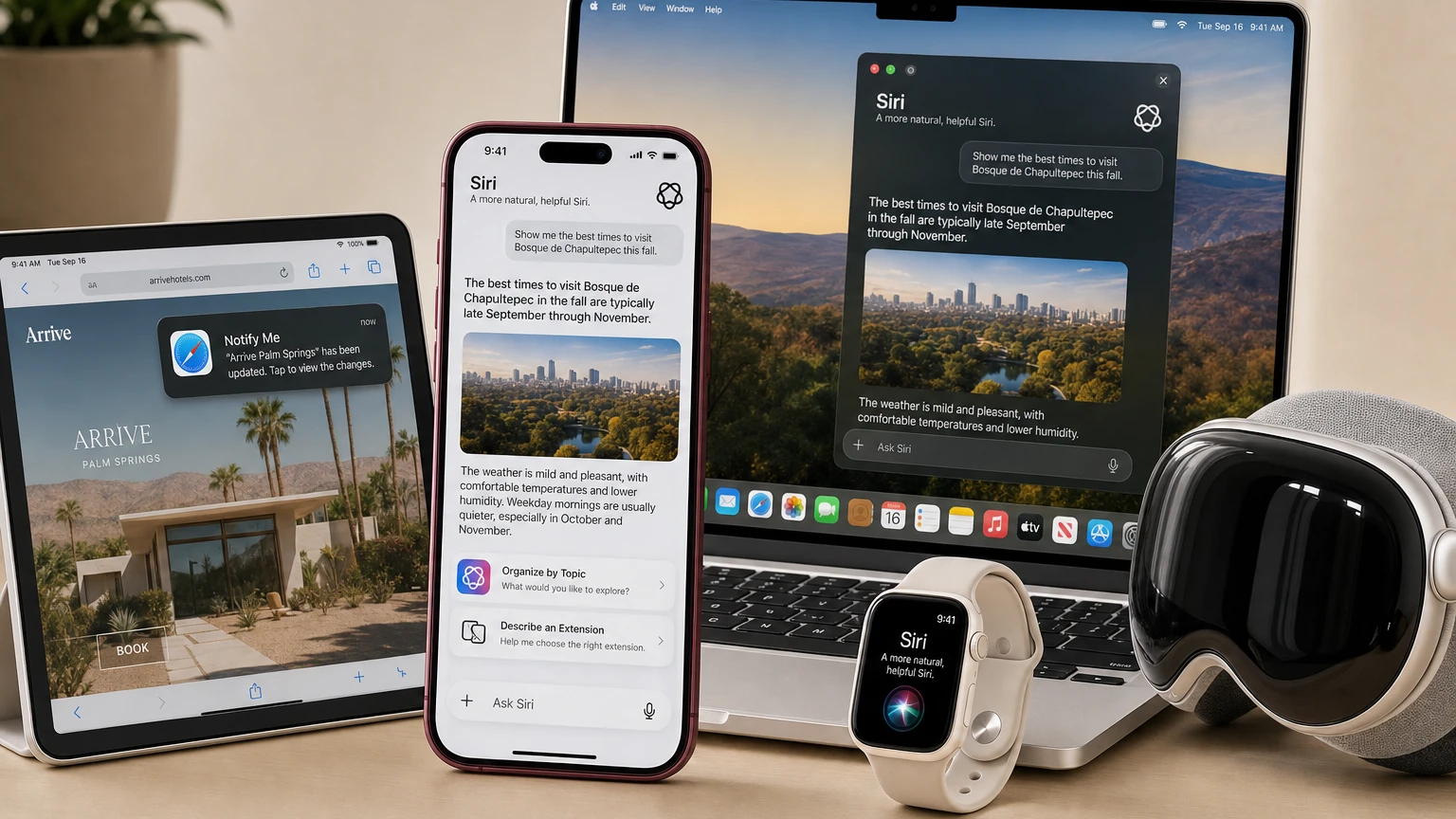
Apple began rolling out its rebuilt Siri AI assistant on Monday, September 14, bringing personal-context searches, onscreen awareness, web answers and expanded app actions to supported iPhones, iPads, Macs, Apple Watches and Vision Pro headsets.
The release arrives as an English-language beta through iOS 27, iPadOS 27, macOS 27, watchOS 27 and visionOS 27. French, Japanese, Korean, Portuguese and Spanish support is scheduled for October.
For users deciding whether to update or replace a device, the important detail is that operating-system compatibility does not guarantee access to Siri AI. An iPhone 11 can run iOS 27, for example, but it cannot run Apple Intelligence or the new assistant. Even among Apple Intelligence devices, only a smaller group gets Apple’s most advanced on-device model and the expressive voice and upgraded dictation features it powers.
What changed with the September 14 rollout
Siri AI is designed to hold longer conversations and answer follow-up questions while drawing on four main capabilities: personal context, awareness of what is onscreen, broader web knowledge and the ability to perform actions across apps.
Personal context allows the assistant to search information stored across a user’s messages, emails, photos and other indexed content. Apple’s example involves finding an activity mentioned by a relative in Messages, locating previously emailed cooking instructions and adding the required ingredients to Reminders.
Onscreen awareness lets Siri interpret content that is already open. A user viewing a sports website could ask the assistant to identify upcoming home games and place them on a calendar. On iPhone, a new Siri mode inside Camera applies similar visual understanding to physical objects, signs and documents.
The update also introduces a dedicated Siri app. Conversation history can sync privately through iCloud, allowing an exchange started on an iPhone to continue on a Mac, iPad, Apple Watch or Vision Pro.
Apple has expanded writing support as well. Siri can generate a draft, revise existing text, offer feedback and, in Mail and Messages, adapt its output to the tone and punctuation a user typically employs with a particular recipient.
Which iPhones support Siri AI?
Apple’s baseline requirement for Siri AI is an Apple Intelligence-enabled iPhone running iOS 27. That includes:
- iPhone 15 Pro and iPhone 15 Pro Max
- Every iPhone 16 model, including iPhone 16e
- iPhone 17, iPhone 17e, iPhone Air, iPhone 17 Pro and iPhone 17 Pro Max
- iPhone 18 Pro and iPhone 18 Pro Max, which reach stores September 18
- iPhone Duo, which Apple plans to release October 23 with iOS 27.1
The regular iPhone 15 and iPhone 15 Plus can install iOS 27 but are not Apple Intelligence devices, leaving them without Siri AI. The same is true for the iPhone 11 through iPhone 14 families and compatible iPhone SE models.
This split is likely to create the most confusion: seeing the iOS 27 update in Settings does not mean the headline assistant will appear after installation.
The smaller list for the best on-device model
Apple’s AFM Core Advanced model requires substantially more memory. On iPhone, it powers Siri’s customizable expressive voices and more accurate systemwide dictation on:
- iPhone 17 Pro
- iPhone 17 Pro Max
- iPhone Air
- iPhone 18 Pro
- iPhone 18 Pro Max
- iPhone Duo, when it becomes available
That means devices such as the iPhone 15 Pro, iPhone 16 Pro and standard iPhone 17 can run the central Siri AI experience, including personal context and onscreen understanding, but not every voice and dictation enhancement.
Apple’s first foldable is also positioned for the advanced model, but it is not part of the initial September hardware availability. Preorders for the $1,999 iPhone Duo begin October 16 before its October 23 release.
Supported iPads, Macs, Apple Watches and Vision Pro models
| Platform | Siri AI eligibility | Important limitation |
|---|---|---|
| iPad | iPad mini with A17 Pro and iPads with M1 or later | AFM Core Advanced requires M4 or later and at least 12GB of unified memory |
| Mac | Macs with M1 or later, plus MacBook Neo with A18 Pro | AFM Core Advanced requires M3 or later and at least 12GB of unified memory |
| Apple Vision Pro | Apple Vision Pro running visionOS 27 | The advanced model and expressive voices require Vision Pro with M5 |
| Apple Watch | Series 9 or later, Ultra 2 or later and SE 3 when paired with an Apple Intelligence-enabled iPhone | Some functions require the paired iPhone nearby; the new Audio Intelligence suite has stricter hardware rules |
Apple Watch eligibility is particularly layered. The broader Apple Intelligence feature set reaches recent watches through a compatible paired iPhone, but the new Sound Recognition, automatic Shazam detection, Live Rewind and Siri Recap features require Apple Watch Series 12 or Apple Watch Ultra 4.
Live Rewind and Siri Recap are not part of the initial September release. Apple says both will enter beta later in 2026, initially in English. They also require an iPhone 16 or later, excluding iPhone 16e.
Safari gains Notify Me and natural-language extensions
Some of the most practical additions are not inside the Siri interface itself. The same Apple Intelligence update adds three AI-assisted tools to Safari on supported iPhones, iPads and Macs.
- Notify Me periodically checks a webpage and can alert the user to a change, such as a product returning to stock or a listed price dropping.
- Describe an Extension creates a custom Safari extension from a natural-language request, allowing a user to change how a website’s content or formatting appears.
- Organize by Topic analyzes open webpages and groups related tabs.
Describe an Extension should not be confused with commissioning a complete commercial browser product. Apple describes it primarily as a way for an individual to adjust the presentation or content of webpages through a generated extension.
The Safari tools are available only on Apple Intelligence hardware, even when Safari itself and the underlying operating system continue to support older devices.
Daily limits and future paid access
Apple is imposing daily usage limits on features that depend on server-side models. The company specifically identifies Siri AI, intelligent photo-editing tools, Image Playground and cloud models used by Shortcuts as services that may be capped.
Apple has not published a fixed number of daily requests. It says limits may vary according to the feature, request complexity, system demand and other policies. That makes the practical ceiling difficult to assess during the beta period and means two types of requests may not consume capacity in the same way.
More significantly, Apple says expanded access will be offered for a fee in the future. It has not announced pricing, a subscription name or a date for that change. The core Apple Intelligence features remain integrated into eligible devices, but frequent users may eventually encounter a paid tier for higher server-side allowances.
Language, region and age restrictions
Hardware is only one part of the eligibility test. Siri AI launched in beta in English, and both the Siri language and device language must be set to a supported language. Changing the Siri language may temporarily disable Apple Intelligence while the required models download.
The broader Apple Intelligence system supports more languages than Siri AI does at launch. Users operating a compatible device in German or Italian, for example, may receive other Apple Intelligence tools while still waiting for the new assistant to support that language.
Apple says Siri AI is not initially available on iPhone, iPad or Apple Watch for residents of the European Union. Other new Apple Intelligence features, including photo editing and Safari intelligence, remain available there on supported hardware. Apple’s stated Siri AI restriction does not include macOS 27 or visionOS 27.
Siri AI and the new Apple Intelligence features are not currently available in China while Apple works through regulatory requirements. Apple also says Siri AI is unavailable to users under 13.
Storage requirements could delay activation
The downloaded models require a meaningful amount of local storage. Apple lists up to 14GB for devices running its advanced on-device model, up to 8GB for other compatible iPhones, iPads, Macs and Vision Pro models, and up to 1.5GB on Apple Watch.
Owners with nearly full devices may therefore need to clear space before every component becomes available. The assistant may also take time to download language resources and index personal content after the operating-system update finishes.
Users can check for the release by opening Settings, selecting General and then Software Update. On a supported device, Apple Intelligence is automatically made available after installing version 27.0 in an eligible language and region.
How Apple says personal information is protected
The usefulness of personal context depends on Siri being able to retrieve information from sensitive sources, including private messages, email and photos. Apple says its system orchestrator uses the device’s Spotlight index and an App Toolbox to perform core retrieval and actions locally.
Requests that need larger models can be sent to Private Cloud Compute. Apple says personal data processed there is not stored or made accessible to the company, and that outside security researchers can inspect the system’s privacy guarantees.
The underlying Apple Foundation Models were built in collaboration with Google and its Gemini models, while Apple controls their integration into its operating systems and Private Cloud Compute architecture.
Those safeguards do not eliminate the need to verify generated answers. Siri AI remains labeled as a beta, and personal-context retrieval, web synthesis and multistep app actions create more opportunities for an assistant to misunderstand a request or select the wrong information. Users should review consequential messages, calendar events, payments and edited files before completing an action.
What to watch next
The first near-term milestone is the September 18 arrival of the iPhone 18 Pro and Pro Max, which support the complete on-device Siri feature set. Apple’s October language expansion will offer the first indication of how quickly it can move Siri AI beyond its English beta.
The company must also disclose how its daily limits work in normal use and what “expanded access” will cost. Until numerical caps and pricing are available, buyers cannot fully compare the long-term Siri AI experience across devices or estimate whether heavy use will require another subscription.
Later in 2026, attention will shift to Apple Watch’s Live Rewind and Siri Recap betas. Those features move Apple Intelligence into ambient conversations and consequently face a higher bar for accuracy, transparency and bystander privacy.
For now, the simplest buying rule is that an iOS 27 badge is not enough. Users need Apple Intelligence-compatible hardware for Siri AI, and newer high-memory hardware for its most advanced voice and dictation features.
Make YouTube smarter with NextWatch AI
Use AI search, smarter discovery, playback tools and speed testing directly in your browser.
Add NextWatch AI to Chrome ↗