
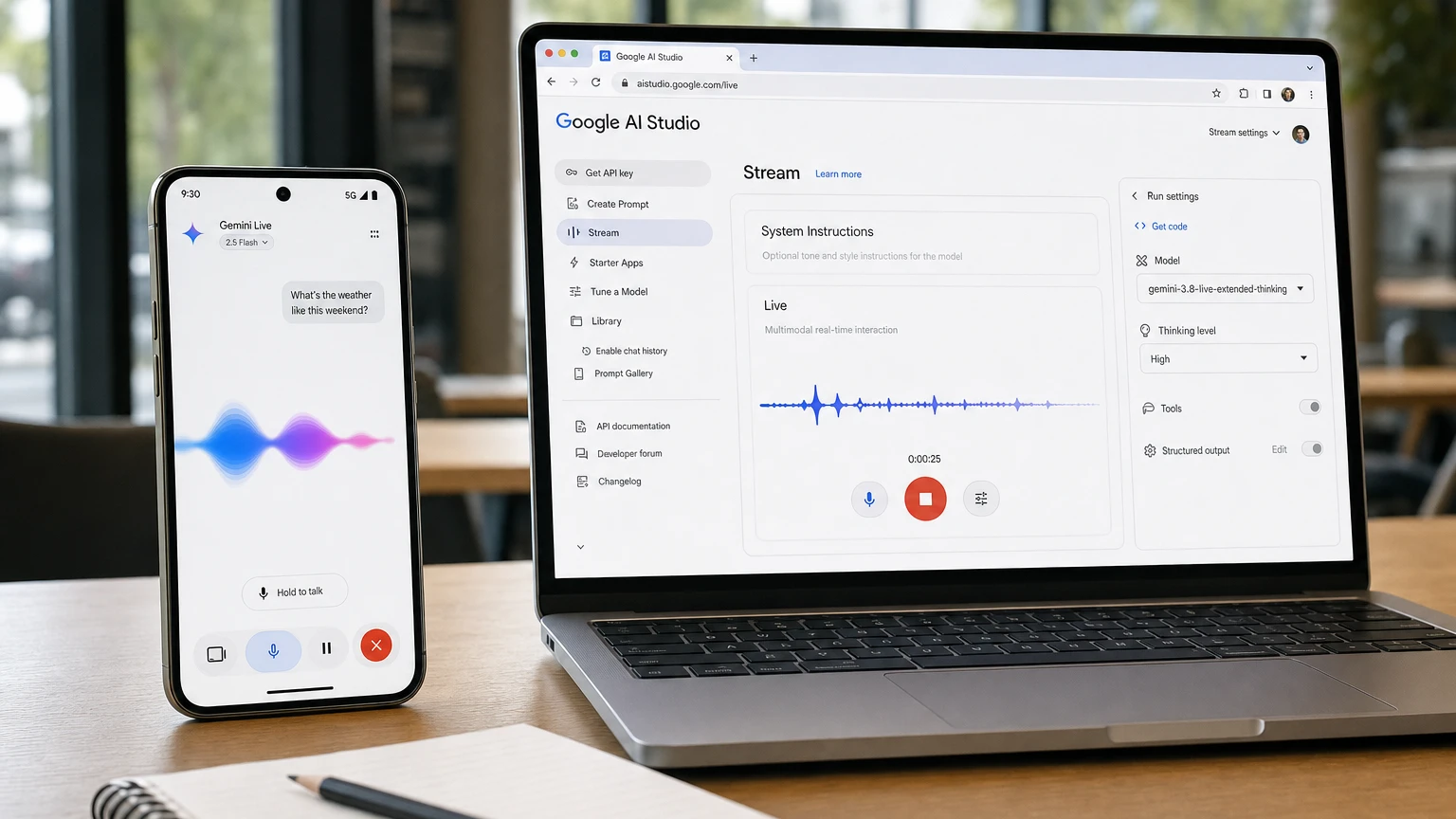
Google released Gemini 3.8 Live and Gemini 3.8 Live Extended Thinking on Tuesday, Sept. 15, adding two stable model endpoints designed for real-time voice conversations. The models are beginning to reach Search Live, Gemini Live, Google Workspace, the Gemini API and Google AI Studio.
The important change is not simply more natural speech. Extended Thinking is designed to reason, call external tools and narrate its progress while a conversation remains active, reducing the long, unexplained silences that can make voice agents feel broken during complicated tasks.
For users, that could mean a Gemini session that acknowledges a request before researching, comparing or creating something. For developers, however, the new behavior introduces a more complicated session lifecycle and potentially higher costs during long conversations.
What Google launched
Gemini 3.8 Live is the default model for applications that prioritize immediate back-and-forth conversation. Gemini 3.8 Live Extended Thinking is the higher-reasoning option for requests involving planning, multiple data sources or tools that take time to return results.
Both models are based on Gemini 3 Pro and accept continuous streams of audio, text, images and video. Google lists an input context limit of 131,072 tokens and an output limit of 65,536 tokens, commonly described as 128K input and 64K output context.
The two models can generate audio and text, use Google Search grounding and call functions. They are intended for experiences such as customer support, tutoring, travel planning, visual troubleshooting and assistants that must operate external services while talking to a user.
| Feature | Gemini 3.8 Live | Gemini 3.8 Live Extended Thinking |
|---|---|---|
| Primary purpose | Fast, low-latency conversation and direct requests | Complex planning and multi-step voice tasks |
| Reasoning | Interleaved reasoning with a fixed latency profile | Configurable background reasoning at low, medium or high levels |
| Tool execution | Supports blocking and nonblocking function calls | Requires asynchronous, nonblocking function calls |
| Conversation behavior | Optimized for quick turn-taking | Can provide spoken progress updates while reasoning or waiting for tools |
| Best suited to | Voice search, language practice, smart-device commands and interactive dialogue | Diagnostics, bookings, research, coding help and coordinated data retrieval |
Where Gemini 3.8 Live is rolling out
Google is dividing the consumer rollout between its two new models. Gemini 3.8 Live is beginning to power Search Live, the spoken conversational feature inside AI Mode in the Google app. Extended Thinking is rolling into Gemini Live and voice-based Workspace experiences.
| Product or audience | Initial availability |
|---|---|
| Search users | Gemini 3.8 Live is rolling out in Search Live |
| Gemini users | Extended Thinking is beginning to roll out in Gemini Live |
| Google Workspace | Extended Thinking supports Gmail Live, Keep Live and Docs Live under eligible Google AI subscriptions |
| Developers | Both endpoints are available through the Gemini API and Google AI Studio |
| Enterprises | Private preview through Gemini Enterprise, with additional customer-experience and Workspace business availability planned |
Workspace access varies by product and subscription. Google says Docs access is initially for Google AI Pro and Ultra subscribers, while Gmail and Keep access extends to Google AI subscribers. Availability for Workspace business customers is listed as coming soon.
As with most Google launches described as rolling out, eligible users may not see the change simultaneously in every account, region or product.
Why Extended Thinking matters
Conventional voice assistants work best when a request has a quick answer. They become less convincing when asked to compare several options, examine multiple records or wait for an outside service. The user often hears nothing while the system works, making it unclear whether the request was understood or the session has failed.
Gemini 3.8 Live Extended Thinking is designed to fill that gap. It can give an early verbal acknowledgment, continue reasoning in the background and deliver additional spoken updates as tools complete their work.
A travel assistant, for example, could say that it is checking flights before querying airline and hotel services in parallel. A technical-support agent could inspect several logs and configuration values while telling the user which part of the system it is investigating. A tutoring application could work through a formula before explaining the answer aloud.
This moves the voice interface closer to an agent that manages a task rather than merely answering one spoken prompt at a time. It also gives users more visibility into progress, although conversational status updates should not be confused with access to the model’s full private reasoning process.
Developers must change how they detect a completed turn
The Extended Thinking model introduces an important integration change. In a standard Gemini Live session, a turnComplete signal generally means the model has finished responding and the application can return to an idle or listening state.
That assumption no longer works with Extended Thinking. The model can finish one spoken update while continuing to reason or wait for asynchronous tools. Developers must monitor a separate interaction_status value and treat the session as complete only when it changes from IN_PROGRESS to IDLE.
- Keep listening after an utterance ends. More audio, reasoning updates or function calls may follow a turn-completion message.
- Use nonblocking tools. Extended Thinking does not support synchronous blocking function declarations.
- Update the interface state. A microphone, loading indicator or transcript should not switch to idle while background work remains active.
- Handle interruptions deliberately. New client content marked as a completed turn can interrupt active generation.
Apps that simply replace the older model name without changing this state management could cut off responses, display an incorrect status or fail to process a later tool request.
Pricing is shared, but Extended Thinking could still cost more in practice
Google’s developer pricing page groups Gemini 3.8 Live and Extended Thinking under the same published rates. On the paid tier, text input is listed at $0.75 per million tokens and text output, including thinking tokens, at $4.50 per million.
Audio input is listed at $3 per million tokens, or an estimated $0.005 per minute. Audio output is $12 per million tokens, or approximately $0.018 per minute. Image and video input is listed at $1 per million tokens, or an estimated $0.002 per minute.
There is no separately listed Extended Thinking premium. Nevertheless, a session using deeper reasoning, more tool calls and more output can consume additional tokens, so its final cost may exceed a short conversation handled by the standard model.
Developers also need to account for the Live API’s accumulating context. Previous conversation tokens can be processed and billed again on later turns as the session history grows. Google recommends context-window compression for long-running sessions so older material can be removed before costs expand indefinitely.
Another consideration is proactive audio, which is permanently enabled for the two Gemini 3.8 models. Input can be billed while the Live API is listening, even when the model decides that what it heard does not require a response.
Google claims a major improvement in voice-agent benchmarks
Google says Gemini 3.8 Live Extended Thinking scored 82.6 on Artificial Analysis’ Speech to Speech Quality Index, placing first overall at launch. The index combines speech reasoning, agentic performance, user-preference results and task-success measurements rather than relying on speech naturalness alone.
The company also reports a 68.6% result on the agent-focused tau-Voice benchmark, 35.1% on Sierra’s banking version of tau-Voice and 97.7% on Big Bench Audio. Google says the standard Gemini 3.8 Live model reached second place in Artificial Analysis’ Speech Agent Arena.
Those results support Google’s argument that Extended Thinking is intended for task completion rather than being only a new text-to-speech system. They remain benchmark measurements, however. Real-world performance will also depend on network delay, tool reliability, noisy environments, interruptions, accents and the quality of each developer’s orchestration.
What changes in Search Live and Workspace
Search Live users should see the effects of Gemini 3.8 Live in the conversational layer rather than as a separate model selector. Google says the model can automatically detect and move between 97 supported languages during a conversation, use visual information in near real time and return web links alongside spoken answers.
Users can continue a Search Live conversation with follow-up questions, view a transcript and revisit past sessions through AI Mode history. The 3.8 upgrade is therefore significant beyond voice quality: it places a newer multimodal model directly inside a Google Search experience used to explore live web information.
Extended Thinking has a different role in Workspace. Gmail Live is designed to search and reason across an inbox conversationally, Docs Live helps build and edit structured documents through spoken collaboration, and Keep Live captures and organizes notes. Those jobs frequently require several steps, making progress narration more useful than it would be for a simple factual answer.
Limits users and builders should know
- The Live API is still documented as a preview. The two models have stable endpoint names, but the surrounding API platform has not shed its preview label.
- Fresh knowledge is not automatic. Google lists a January 2025 knowledge cutoff in the model card, so current answers depend on enabled Search grounding or connected tools.
- Hallucinations remain possible. Spoken delivery can make an incorrect answer sound confident, particularly during long or complicated workflows.
- Timeouts and slow responses may occur. Background narration makes waiting clearer but does not eliminate delays or tool failures.
- Several API features are unavailable. The models do not support context caching, batch processing, code execution, file search, structured output, Maps grounding or direct URL context.
- Generated audio is watermarked. Google says audio produced by its AI products contains an imperceptible SynthID watermark intended to remain detectable.
Which Gemini 3.8 Live model should developers choose?
Choose Gemini 3.8 Live when rapid turn-taking matters most and requests usually have direct answers. It is the safer default for conversational support triage, voice search, storytelling, language practice and device control.
Choose Gemini 3.8 Live Extended Thinking when the agent must compare options, coordinate several tools, analyze complicated inputs or keep the user informed during longer operations. Teams adopting it should budget for more involved client-state logic and potentially greater token consumption.
The standard model will likely serve the majority of high-volume voice experiences. Extended Thinking is the more consequential release, however, because it tests whether a spoken assistant can remain socially present while performing agent-like work in the background.
What to watch next
The immediate questions are whether Extended Thinking reaches Workspace business customers on schedule, how quickly the consumer rollout appears across regions and whether third-party voice platforms can reproduce Google’s benchmark results in production.
Developers should also watch for changes to the Live API’s preview status and for clearer measurements of interruption handling, end-to-end task completion and costs over long sessions. If the models perform reliably outside controlled demonstrations, Gemini 3.8 could shift voice AI from short conversations toward assistants that can explain what they are doing while they actually get something done.
Make YouTube smarter with NextWatch AI
Use AI search, smarter discovery, playback tools and speed testing directly in your browser.
Add NextWatch AI to Chrome ↗